
This is a sponsored conversation written by me on behalf of Cricut. The opinions and text are all mine.
A few weeks ago I was contacted by Cricut. Have you heard of them? They make the most amazing home die-cutting machines which I have lusted after ever since I saw them at a Hobbycraft press show a few years ago. They offered to send me their new Cricut Maker, EasyPress 2 and a bundle of craft materials and tools so I could try it for myself. I am so excited to work with Cricut but also slightly nervous too! I have a few posts planned as it’s been quite an exciting journey learning more about the Cricut Maker. Today I wanted to focus on the Cricut Maker and show you what it can do.
What is the Cricut Maker?
There are a few different Cricut machines but the Cricut Maker is the latest one. Cricut Maker cuts hundreds of materials materials quickly and accurately, from the most delicate paper and fabric, card and leather. You can use its powerful blades, pens or scoring tool to create all kinds of products from cards to quilts or boxes.
What’s inside the box?
I have to say that the Cricut Maker was beautifully packaged. It was a little like opening a Christmas present! I made a short unboxing video so you can see what was inside the box:
The first thing I found was a slim box labelled Let’s get started with a url.

Inside was an instruction booklet, envelope labelled materials for your first project, Cricut Maker Rotary Blade and Pen.

At this point I downloaded the Cricut Design app from the Apple App Store and created an account. I took the Maker out of the box, plugged it in and switched it on. Then I was able to click on New Machine Setup on the app and pair the app on my iPhone with the machine.

You need a good internet connection and access to the Design Space app to use the Cricut Maker. The app allows you to browse the free projects or upload your own design. I have it on my iPhone so I can browse projects when I have five minutes, but also my MacBook Pro for when I’m creating my own design.
Making my first project with the Cricut Maker
Inside the box was everything needed to make something which I thought was a nice touch. I was a little anxious about using my nice and shiny machine but working through the project was a good way of getting to grips with it. I followed the instructions on the app, using both the pen and the rotary cutter to make a card with a fabric embellishment.
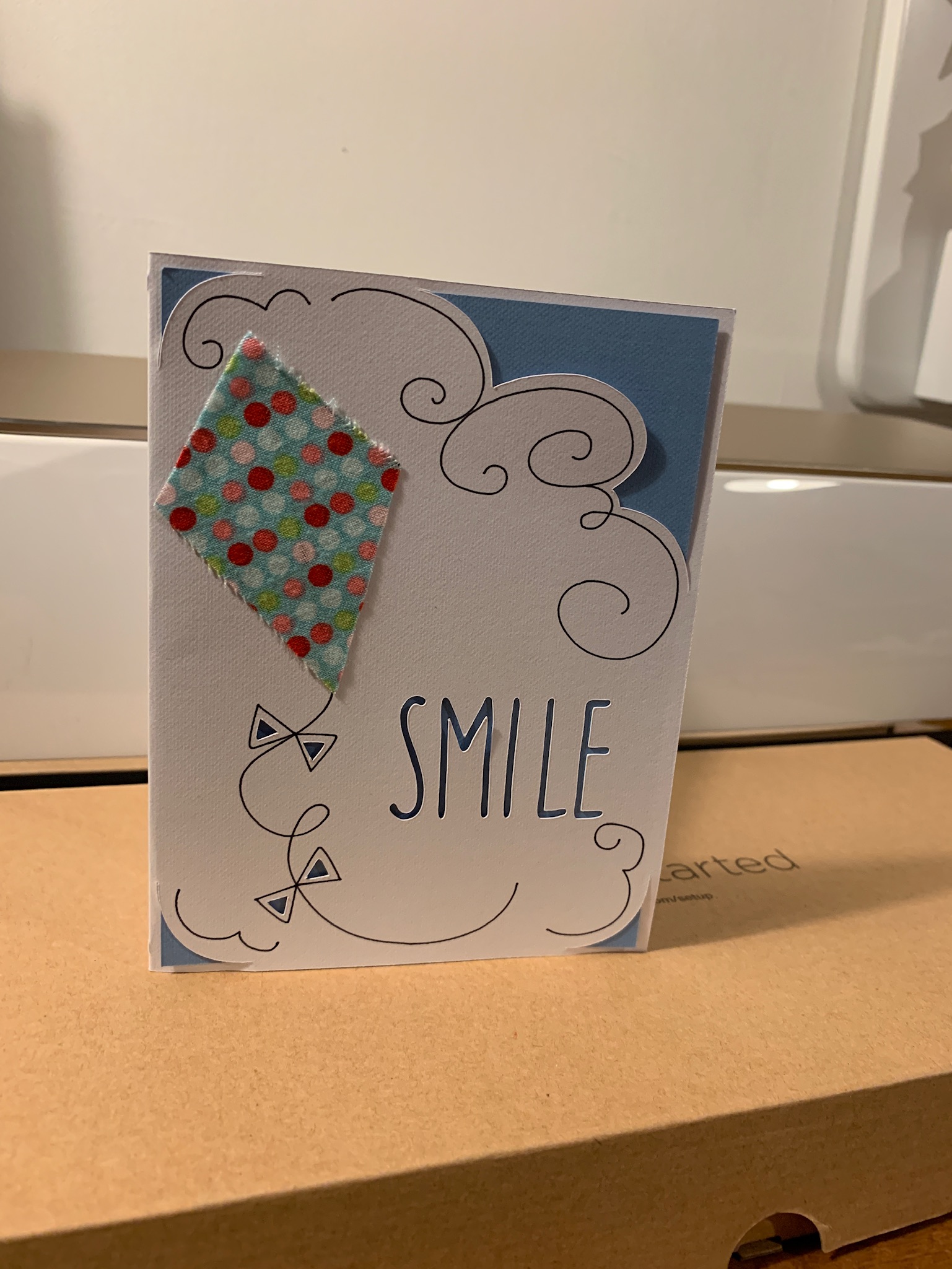
Making a personalised name label
After this I was ready to go and make my own projects. A few weeks ago I started a Cricut projects and inspiration board on Pinterest. I’ve been Pinning some things to make and decided the first thing I needed to do was personalise my Cricut Maker with my name. I was sent some coloured vinyls, as well as the Transfer Tape and tools, so I had everything I needed.

I opened Cricut Design Space and designed my Project to say Jenny’s Cricut. I was able to choose what font to use and set the size. I picked the colour of adhesive vinyl, cut a piece large enough for my project and placed it on the mat, then started cutting. I weeded out the waste and placed Transfer Tape over my label, before transferring it to my machine. This was a quick and easy project but I now feel as though I ‘own’ my Cricut Maker!
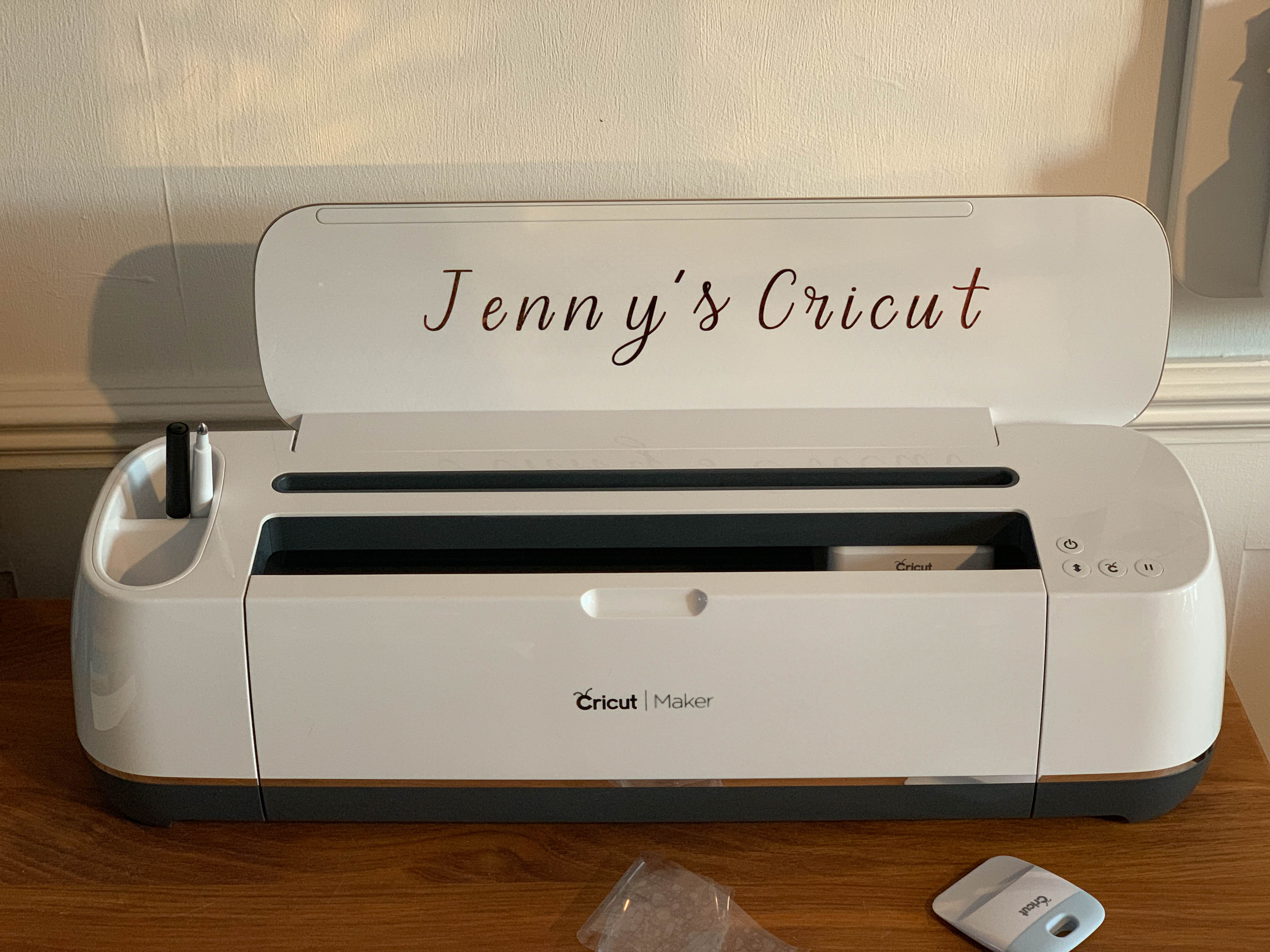
To be honest, we’ve been using the adhesive vinyl ever since and labelled everything! It’s really exciting to cut vinyl with the Cricut Maker! We’ve made so many labels from kitchen jars to the children’s school books. I’ll be sharing more Cricut Maker tutorials on my blog but I’d love to hear what you think. Would you buy a Cricut Maker and what would you use it for?
Pin for later:



Looks awesome!! Welcome to the Cricut gang! I’m very excited about making some awesome things… 🥰 x
Sounds like a really cool machine and it’s good that it’s pretty easy to use. I love labelling things so this is right up my street x
I’ve heard great things about Cricut. Would love to give it a go myself.
I am not a crafter but I love these machines, so clever!!
I’ve never heard of Cricut before, but your creation looks amazing. I wish I’d known about these sooner, they look awesome 🙂
I love this, I can’t wait to get my cricut and easy press, there are so many amazing things we can make with them. Thank you for sharing this. Your makes are fab