
Skip to content
the gingerbread house blog
Menu
  • Home
  • About
    • About Me
    • Brand Ambassador
      • Adobe Photoshop Elements 2018
      • ASK Italian
      • Aquabeaders
      • Bahlsen Book Club
      • Bandai STEM Ambassador
      • Baker Ross Blogger Network
      • Blogger Board Game Club
      • Bostik Family Craft Bloggers Network
      • Build Your Own Brand Ambassador
      • Britax Mumbassador
      • Dunelm Mill Blogger
      • Friends of Sylvanian Families
      • Happy By Nature
      • Hasbro Toy Tribe
      • KDUK Mumbassadors
      • Lindam Munchkin blogger panel
      • Maped Helix Blogger Ambassador
      • Miffy Mums
      • Morphy Richards Innovator
      • Netflix Stream Team
      • Peppa Pig Holiday Blogger
      • Pinty Plus Ambassador
      • Playmobil Playologist
      • Quinny Caster
      • Sizzix
      • Staedtler Try It Tribe
      • Stamptastic Ambassador
      • Toys R Us Toyologist
      • Twinkl Blogger
      • UKMums.TV Preferred Blogger
    • 50 before 50 bucket list
    • Mailing list
    • Privacy Policy
  • Crafts
    • Crafts for Kids
      • Advent crafts
      • After school crafts
      • Apple Day crafts
      • April Fools’ Day
      • Back to school crafts
      • Bonfire Night crafts
      • Children In Need
      • Chinese New Year crafts
      • Christmas
      • Crochet
      • Dr Seuss Day craft
      • Duck Tape crafts
      • Earth Day crafts
      • Easter
      • Elf on the Shelf
      • Elmer Day
      • Fairy garden crafts
      • Fathers Day
      • Food crafts
      • Fourth of July crafts
      • Free printables
      • Garden crafts
      • Gingerbread
      • Gingerbread houses
      • Grinchmas crafts
      • Halloween
      • Handmade gifts
      • International Women’s Day
      • Kids crafts
      • London crafts
      • Lego crafts
      • May Day crafts
      • Minecraft crafts
      • Mother’s Day crafts
      • Nature crafts
      • New Year crafts
      • Painted rocks
      • Pancake Day crafts
      • Pokemon Day crafts
      • Recycled crafts
      • Roald Dahl crafts
      • Royal crafts
      • Sports crafts
      • Star Wars crafts
      • STEM activity
      • St George’s Day crafts
      • St Patrick’s Day crafts
      • Thanksgiving crafts
      • Toilet roll crafts
      • Tutorials
      • United Kingdom crafts
      • Upcycled crafts
      • Valentines Day crafts
      • Wizarding World crafts
      • World Bee Day
      • World Book Day ideas
      • World Otter Day
    • Crafts for Adults
      • Baking
      • Bento inspiration
      • Craft book reviews
      • Cricut Maker
      • Die cutting crafts
      • List of National Days and Awareness Days in the UK
      • Mollie Makes crafts
      • Paper cut art
      • Patchwork & Quilting
      • Pinty Plus projects
      • Sewing projects
      • Subscription box reviews
  • Family life
    • Charity shopping finds
    • Days out with the kids
      • Sculpture trails
    • Gift guides
    • Parenting tales
      • Siblings
    • What I’m reading
  • Travel
    • days out
    • Bedfordshire
    • Berkshire
    • Buckinghamshire
    • Cornwall
    • Devon
    • Dorset
    • East Sussex
    • Essex
    • France
    • Hampshire
    • Hertfordshire
    • Isle of Wight
    • Kent
    • London
      • Camden
      • City of London
      • City of Westminster
      • Harrow
      • Hillingdon
        • Ruislip
      • London Borough of Bexley
      • Haringey
      • London Borough of Kensington & Chelsea
      • London Borough of Richmond upon Thames
      • London Borough of Southwark
      • London Borough of Wandsworth
      • London Borough of Westminster
      • Southwark
      • Tower Hamlets
      • Wandsworth
    • Norfolk
    • Suffolk
    • Surrey
    • the Netherlands
    • Warwickshire
    • West Sussex
    • Wiltshire
    • National Trust
    • Sculpture trails
    • Local Review
Menu
How to personalise your Cricut Maker

How to personalise your Cricut Maker

Posted on September 8, 2019April 8, 2021 by jenny

A few weeks ago we had the floor replaced in our living room. Everything was packed away and I’ve been enjoying unpacking all my craft supplies and re-discovering some half finished projects. This weekend I got my Cricut Maker out as I’ve been thinking up a few projects I would like to make. I remembered that I wanted to write a post about how I personalised my Cricut machine with my name.

I absolutely love opening up my Cricut machine and seeing my name! It really is the small things which give me pleasure. Adding your name to your Cricut machine makes a fun first project and I’m going to show you how I did it.

You will need:

Cricut Maker

Coloured vinyl of your choice

Cricut Transfer Tape

Cricut Basic Tools set

How to personalise your Cricut Maker

I opened Cricut Design Space and designed my Project to say Jenny’s Cricut. I choose what font I wanted to use and set the size.
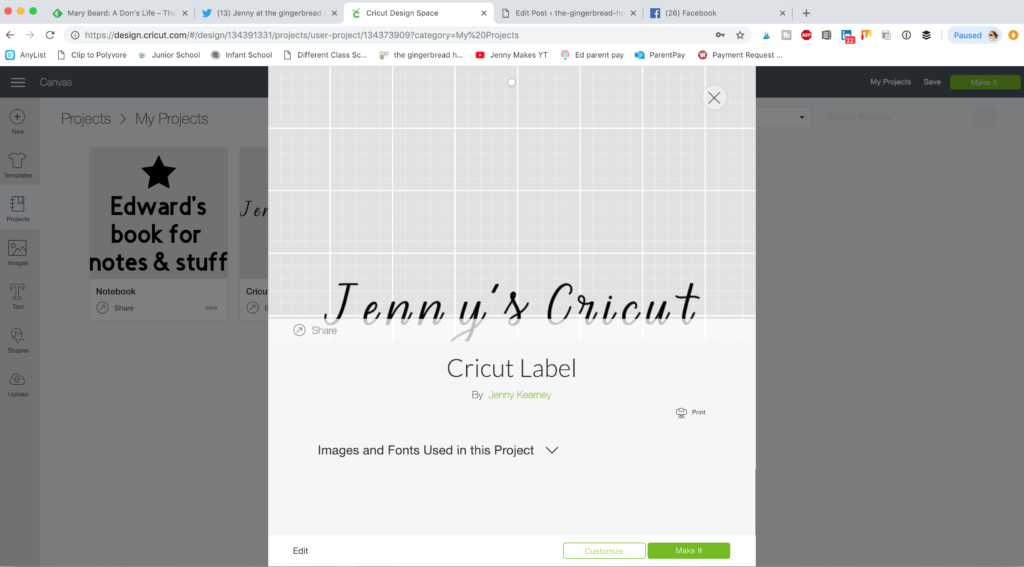
Cricut Design Space project

When I was happy with the layout I picked the colour of adhesive vinyl and cut a piece large enough for my project, placing it on the correct mat. Then I set the project going and watched the Cricut machine as it started cutting. It was a small project so didn’t take long.
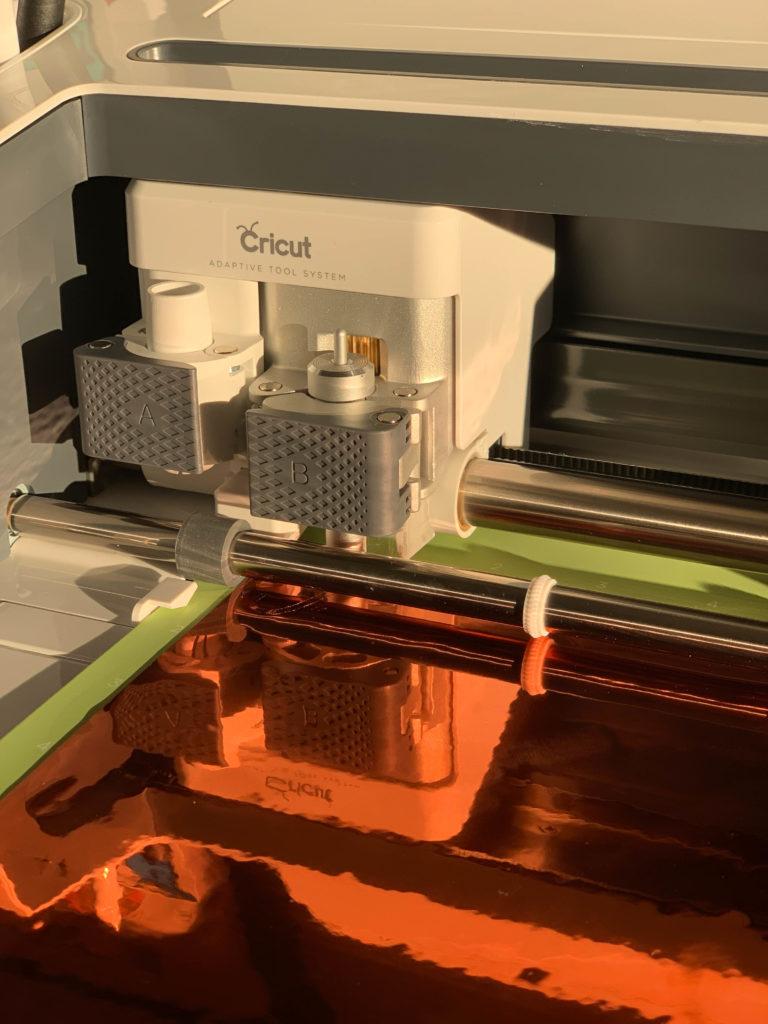
Cricut Maker cutting

I weeded out the waste and placed Transfer Tape over my label cutting it to size.

easy Cricut project

Then I carefully placed it on the inside of the lid of my Cricut machine before removing the Transfer Tape, smoothing it down with the spatula tool.

naming my Cricut machine

This was a quick and easy project but I now feel as though I ‘own’ my Cricut Maker!
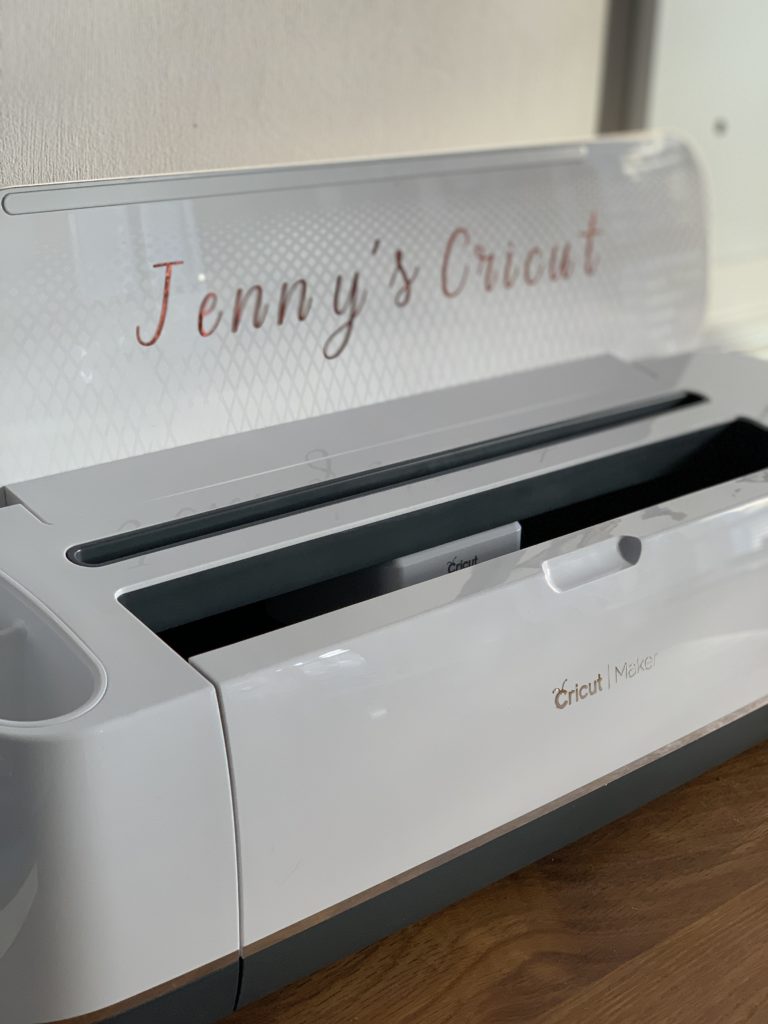
naming my Cricut machine

Take a look at my Cricut projects and inspiration board on Pinterest for more ideas.

You may be interested in some of our other Cricut posts:

Cricut Maker machine review

EasyPress 2 review

35 DIY Cricut Maker crafts

Cricut made rainbow wall art

Father’s Day Lego frame

Related Posts:

  • The Best Ways To Personalise Your Home Office
    arnel-hasanovic-MNd-Rka1o0Q-unsplash
  • {Cricut made} galvanised gift tag ornaments
    {Cricut made} galvanised gift tag ornaments
Category: Crafts for adults, Cricut Maker

2 thoughts on “How to personalise your Cricut Maker”

  1. MissPond says:
    September 9, 2019 at 2:11 pm

    I’ve never heard of Cricut before! I’ll read a few mor eof your posts about them as I am intrigued!!

    Reply
  2. michelle twin mum says:
    September 9, 2019 at 3:47 pm

    Just perfect, when you have a Cricut and it has so much capability, why would you not personalise your machine? Mich x

    Reply

Leave a Reply Cancel reply

Your email address will not be published. Required fields are marked *

Welcome to the gingerbread house blog. I’m Jenny, London mum of two teens. Craft and family lifestyle blogger, occasional baker of gingerbread. Find out more about us, our latest crafts, and be inspired by our days out. Contact me jenny@the-gingerbread-house.co.uk

Search

Latest posts

  • Creating the Ultimate Summer Play Space June 18, 2026
  • The Weekly Edit {Week 24/2026} June 15, 2026
  • Tobio’s vs. Emily Lex: The Definitive Watercolor Guide June 14, 2026
  • Air-Dry Masterpieces by Hazel Brady {book review} June 13, 2026

2005-2026

Subscribe to our mailing list

* indicates required

Popular posts

As an Amazon Associate I earn from qualifying purchases.

All content strictly copyright Jenny 2005-2026

2026 Reading Challenge

2026 Reading Challenge
Jenny has read 0 books toward her goal of 24 books.
hide
0 of 24 (0%)
view books

We hope that you enjoy using our free printables. Please note these printables are for personal use only. Not for redistribution. All images are copyrighted.

© 2026 the-gingerbread-house.co.uk | Powered by Minimalist Blog WordPress Theme